Billing and seats
How Rotaleave billing works — free for 10 or fewer, £5 + £1 per extra person above that, 30-day trial, Stripe checkout and the read-only freeze.
Updated 13 October 2026
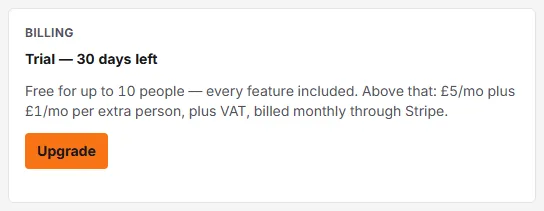
The short version, exactly as the billing card puts it: “Free for up to 10 people — every feature included. Above that: £5/mo plus £1/mo per extra person, plus VAT, billed monthly through Stripe.” Rota and clock-in are included, not paid add-ons. Some features still start switched off until an admin turns them on in Settings → Organisation → Features. Full worked examples are on the pricing page.
Who counts as a seat
Everyone who isn’t archived — including people invited but not yet signed in. Archive a leaver and they stop counting immediately. Your bill adjusts automatically as people join and leave.
The 30-day trial
New organisations get 30 days of everything, no card, any team size. When it ends:
- 10 or fewer people — nothing happens; you’re on the free plan indefinitely.
- More than 10 — you’ll need a subscription. Admins of an organisation over 10 people with no subscription get a heads-up banner in the final 7 days, and all admins are emailed in that last week.
- Already subscribed — subscribing during the trial doesn’t start charging until the trial ends.
Subscribe
Admins: Settings → Organisation, then the Billing card, then Upgrade. That opens Stripe Checkout — Rotaleave never sees your card. Back in Settings the card confirms “Subscribed — thank you.” and from then on shows your live status, e.g. “Active — 14 seats, £9/mo”. Where VAT applies you’ll see the split: “£9 + £1.80 VAT = £10.80/mo” — checkout always shows the final amount before you confirm.
Once you’re subscribed the button reads Manage billing instead, and opens the Stripe portal for card changes, invoices and cancellation. No contract — it’s monthly, cancel any time.
If payment fails
Admins see “Payment failed — update your card to keep full access” with an Update card button, and all admins are emailed. Access carries on while Stripe retries the card. Staff just see that there’s a payment issue and that their admin has been notified.
The read-only freeze
Over 10 people with no subscription (trial expired, or subscription stopped)? The organisation goes read-only: everything is visible, nothing is deleted, but changes don’t save — attempts get “This organisation is read-only — the change wasn’t saved.” Signing in, changing your own profile and password, billing and closing the organisation still work; the notification switches and calendar feed on your Account page don’t save until the freeze lifts. Unfreeze by subscribing, or by archiving down to 10 or fewer people. A subscribed organisation that drops to 10 or fewer people keeps full access while the subscription is active.
Hitting the free limit
Adding an 11th person on the free plan prompts: “You’ve reached the 10-person free limit — £5/mo + £1 per extra person.” Admins can upgrade on the spot; everyone else is told to ask an admin. Reinstating an archived person counts as adding one, so it hits the same limit.