Your data: export and deletion
GDPR self-service in Rotaleave — download your personal data, delete your account, export the organisation or close it with a 30-day grace period.
Updated 13 October 2026
Rotaleave treats data rights as product features, not support tickets. Individuals and organisations each have self-serve export and deletion. The legal detail lives in our privacy policy and DPA.
Your personal data
On your Account page, under Your data:
- Download my data — one click produces
rotaleave-my-data.json, a machine-readable export of your personal data: your profile, work schedules, bookings, allowance adjustments and carry-over, TOIL, availability, clock punches and timesheets, pay-rate history, notification preferences, and any linked Slack/Teams and calendar connections. That’s your GDPR right of access and portability, no email required. - Delete my account — the full right to erasure, self-serve. The panel is blunt about what it means: “Your login, name and email are permanently removed. Your employer keeps anonymised leave records. This cannot be undone.” To confirm, enter your password and type DELETE. Deletion is immediate — every session is revoked and you’re signed out for good. It isn’t available while your organisation is closing (see below).

One guard: if you’re the organisation’s only admin you must first promote another admin (or close the organisation) — otherwise the org would be left unmanageable.
For leavers who can no longer sign in, an admin can anonymise them from the Archived page — see Archive and reinstate people.
Your organisation’s data
Admins get the organisation-level equivalents at Settings → Organisation, on the Organisation data card:
- Export organisation data — downloads
rotaleave-organisation-data.json, machine-readable: the organisation’s settings, departments, teams, leave types, people, work schedules, allowance adjustments, carry-over grants, bookings, and competence types and grants. It doesn’t include clock punches, timesheets or rota shifts. Take it for backups, audits, or because leaving should always be possible. - Close organisation… — winding up, with a safety net. Closing means, in the dialog’s own words: the organisation becomes read-only immediately, billing is cancelled now, and everything is permanently deleted after 30 days — and any admin can reopen it within those 30 days. You confirm by typing the organisation’s exact name.
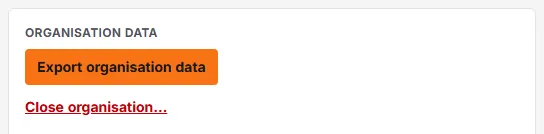
During the grace period everyone sees a banner saying the organisation is closing and read-only until the deletion date, and on the Organisation data card admins get a Reopen organisation button. After 30 days, it’s gone.