Archive and reinstate people
Handle leavers in Rotaleave — archive with a last day of employment, reinstate returners, and erase personal data for GDPR.
Updated 13 October 2026
When someone leaves, archive them — don’t delete. Archiving preserves their history, frees the seat, and keeps the door open if they come back. You do it from the People page; reinstating and erasing are admin-only.
Archive a leaver
Admins: open the ⋯ menu on their row and choose Archive (it isn’t offered on your own row). The dialog asks for one thing: their last day of employment (defaulting to today). As soon as a date is in the box, the dialog shows their holiday balance on that day:
- Entitled — the allowance pro-rated to the last day (carry-over and adjustments included).
- Taken — holiday and deducted closures up to and including the last day. Anything booked after the last day doesn’t count, and the dialog tells you how many such bookings there are.
- The line that matters for final pay: “Wendy is owed 3.5 days” (pay it) or “Wendy owes the company 1.0 days” (claw it back). Change the date and the figure updates.
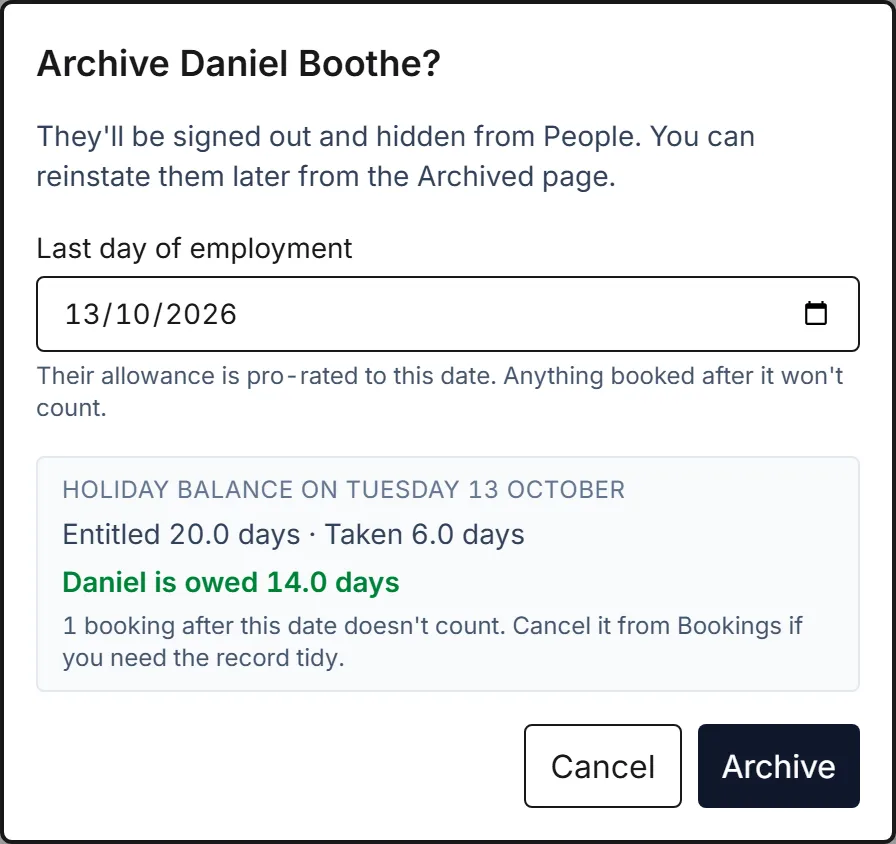
There’s a step-by-step walkthrough with screenshots in Archive a leaver and their holiday balance.
Managers and admins can also tick several people and use Archive in the action bar below the filters; you’re skipped if you’re ticked. A manager’s Archive isn’t limited to the people they manage: it works on anyone in the list except themselves, admins included. That dialog asks for the one date, which covers everyone ticked, and doesn’t show individual balances.
On confirm, two things happen:
- They’re signed out everywhere and hidden from People.
- Their last day is recorded. The same balance shows on the Archived page for every leaver, and as the accrued-at-leaving figure in the Balances report whenever their last day falls inside the report’s dates.
Archived people stop counting as billing seats immediately.
Reinstate a returner
People → Archived (admins only) lists everyone archived, with their last day, holiday balance and when they were archived. Click Reinstate — the person is restored, their last-day-of-employment date is cleared, and they’re automatically emailed both a set-new-password link (valid for 7 days) and a sign-in link, so they can get straight back in. Their old password still works. Reinstating adds a seat, so on the free plan it stops at 10 people — see billing and seats.
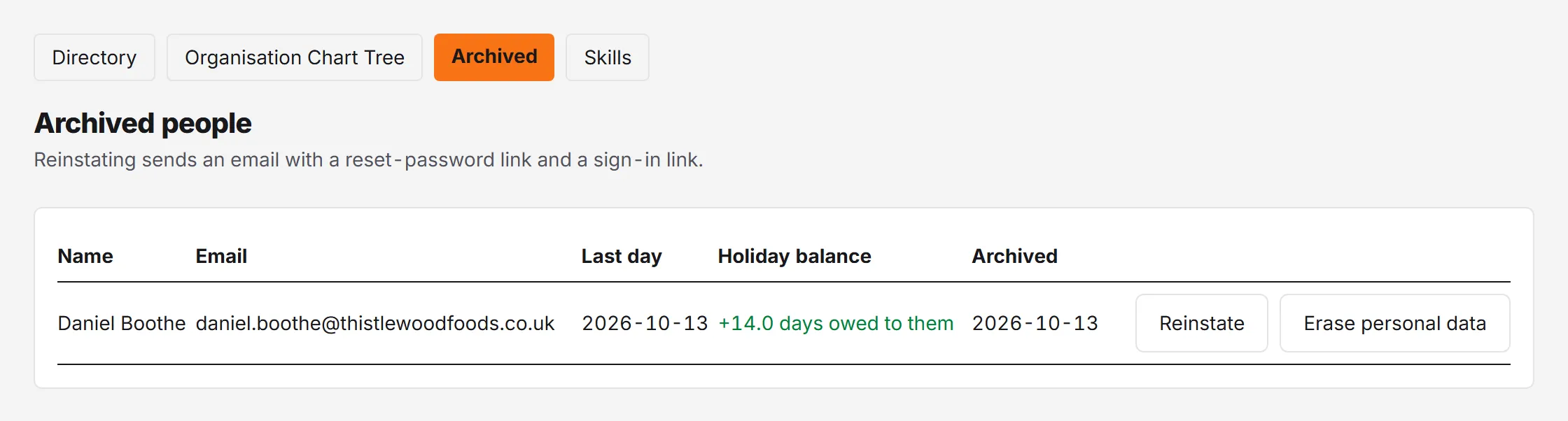
There’s a shortcut, too: if you try to invite an email that matches an archived person, Rotaleave offers to reinstate them instead of creating a duplicate.
Erase personal data (GDPR)
For a right-to-erasure request from someone who has left, the Archived page has Erase personal data. The confirmation is explicit: it permanently anonymises the person — their leave history is kept without any personal details, and it cannot be undone. It only works on people who are already archived. Use it deliberately; there’s no way back.
Current staff can delete their own accounts self-serve — see Your data: export and deletion.