Delegate approvals while you're away
Set approval cover in Rotaleave so pending leave requests route to a delegate while you're out — additive, dated and auditable.
Updated 13 October 2026
If you approve leave, your requests shouldn’t pile up while you’re on a beach. Delegation gives someone else your approval queue for a while — additively: you keep seeing your own requests too, so nothing is hidden from you.
Delegation is an organisation feature called Approver cover. An admin switches it on in Settings → Organisation → Features; until then the sections below don’t appear.
Set your own cover
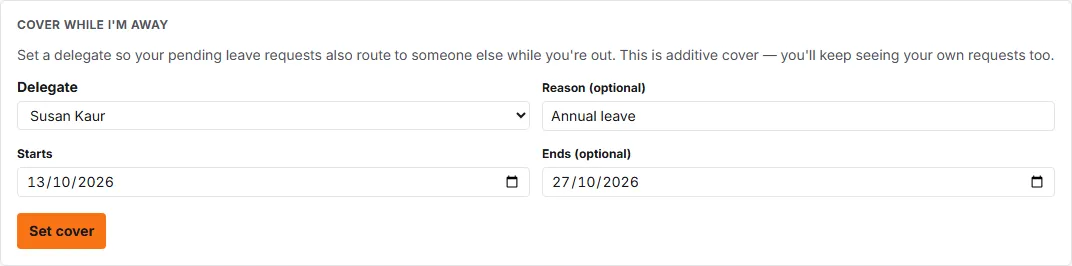
On your Account page, managers and admins get a “Cover while I’m away” section (employees don’t):
- Pick a Delegate from your managers and admins.
- Optionally add a Reason (optional).
- Set Starts (defaults to today) and optionally Ends (optional) — leave the end blank for cover that lasts until you clear it. An end date can’t be before the start date.
- Click Set cover.
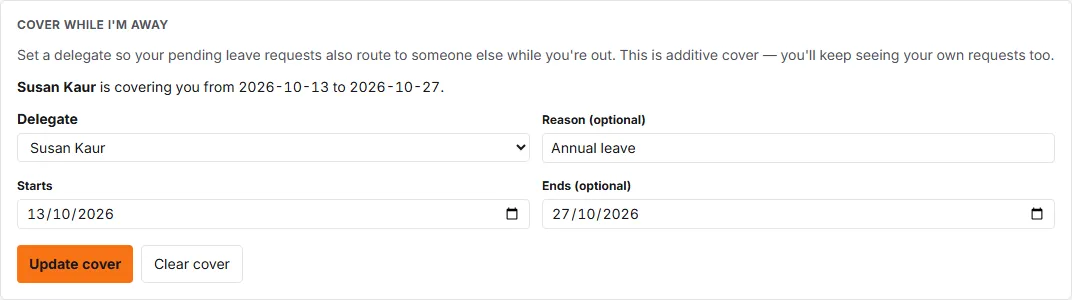
The section then reads back the arrangement — “[name] is covering you from [start] to [end]” (or “until you clear it”) — and you can Update cover or Clear cover at any time. You can have one delegate at a time; setting a new one replaces the old. The delegate is emailed (“You’re now covering approvals”) when you set it.
Admins: set cover for someone else
Admins can set a delegate on any manager’s behalf: on People, open the person’s menu, choose Personal settings, and use the Approval delegate section (Set delegate / Clear). It has the same fields, which is useful when someone is away without having set cover.
What the delegate sees
Delegated requests appear in the delegate’s Approvals page tagged “On behalf of [name]” (with “via” another name if cover is passed along a chain), and the delegate gets the arrival email for them too. They can approve or decline those requests like any other, and their own name is the one recorded as the approver. A delegate must be an active manager or admin.
Separately, if every approver at a request’s current step is on approved leave and none has an active delegate, Rotaleave escalates it one step — to the next level of the approval policy, or the first approvers of the next tier up — and tags it “Escalated — [name] is on leave”.