Cancel or change a booking
Edit or cancel your own future leave in Rotaleave, and how managers end a booking early or cancel on someone's behalf.
Updated 13 October 2026
Cancel your own booking
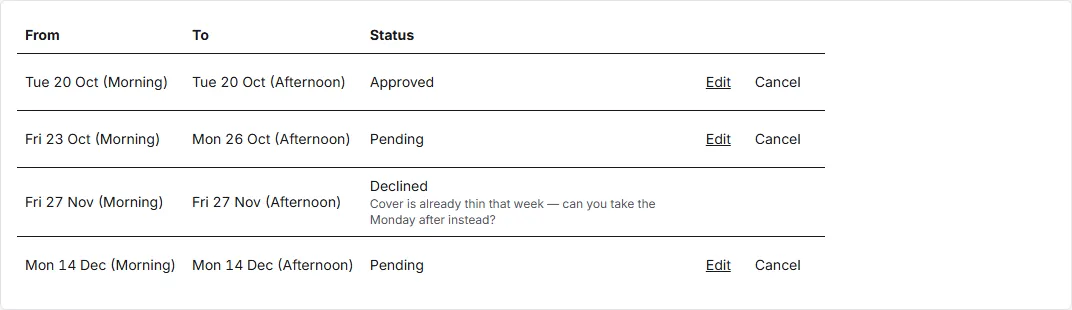
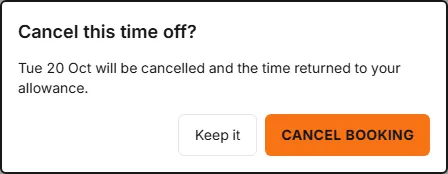
On My leave, future bookings that are still Pending or Approved show a Cancel action. Click it and confirm in the “Cancel this time off?” dialog — if the booking was already approved, the confirmation notes the time is returned to your allowance. Your approvers are told about the cancellation. A booking that starts today or earlier has no Cancel (or Edit) on this page; ask a manager.
Change (amend) a booking
The same rows have an Edit action, which reopens the request form with your booking loaded. A banner explains the rule: saving replaces the booking and re-submits it for approval — unless you’re an admin. An admin who amends a booking that was already approved keeps it approved; a leave type that needs no approval skips the pending step too — unless a member of staff’s new dates would breach a blocking coverage rule or their department’s limit on people off, in which case the amendment waits for a manager.
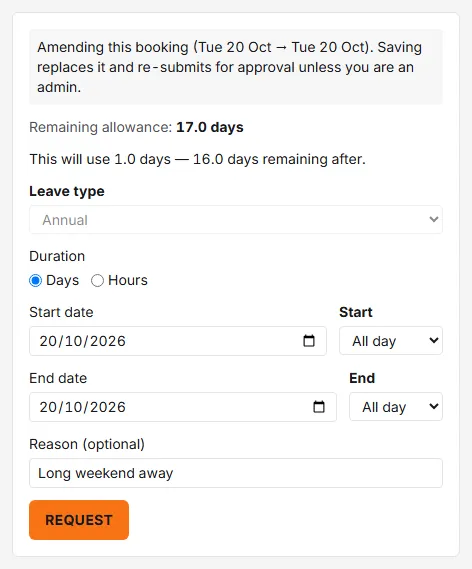
While amending, the leave type is fixed; change dates, duration or times, then submit. Your approver sees it as a fresh pending request. The original stays in your list marked Cancelled, and the new booking is checked afresh — allowance, notice period, embargoes and coverage all apply to the new dates.
Managers: cancel or shorten someone’s booking
Managers and admins open People → ⋯ → Bookings for the person. This works for everyone you are an approver for (or cover for) at any tier, not only the people whose requests reach you first; an admin can do it for anyone. The exception, for managers and admins alike, is someone whose leave a privacy block hides from you. For anyone else the action is refused. Two actions are available:
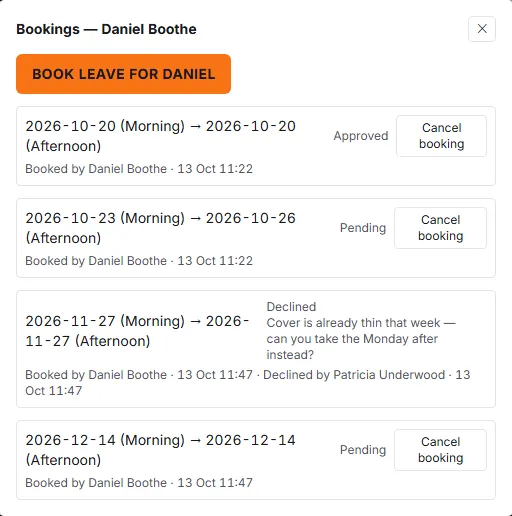
- Cancel booking — for any pending or approved booking, with an optional reason. The person is emailed (they control this via the “My booking is changed or cancelled by a manager” notification preference).
- End early — for an approved booking that’s already in progress (not one booked in hours): set the new last day, whether it ends Morning or Afternoon, and a required reason. The unused time goes back to their allowance. Handy when someone returns from leave sooner than planned. The person is emailed about this too.
Approvers can also Amend a pending request directly from the Approvals page before approving it, as long as it starts after today. The person is emailed when a manager amends their booking.