Reports overview
Rotaleave's reports for managers and admins: balances, leave log, Bradford-factor absence, department summary, expiring carry-over and TOIL.
Updated 13 October 2026
Reports (managers and admins) puts the whole organisation’s leave data behind one set of tabs, with shared filters — From/To dates, Department, Team, and a Leave type filter on the Leave log, Absence and Summary tabs. Leave the dates blank and most tabs use the current leave year. Every tab has Download CSV and Print / Save as PDF buttons top-right. There’s a walkthrough of the thinking on the reports feature page.
Balances
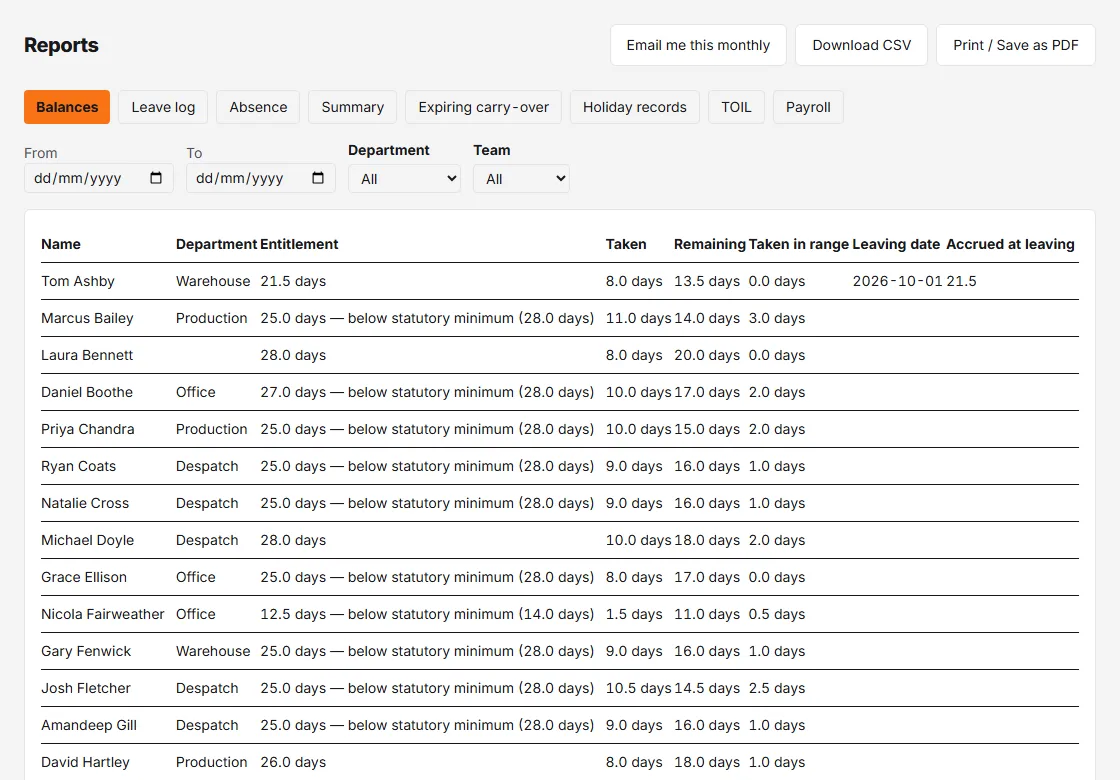
Everyone’s Entitlement, Taken and Remaining for the year, plus Taken in range for your filtered dates. Each row displays in that person’s unit (days or hours); the CSV adds explicit unit columns. Leavers whose last day falls inside the dates are included, with their Leaving date and the Accrued at leaving figure — the number you need for final-pay calculations.
Leave log
The raw record: every pending or approved booking in the range with its type, start, end (with times for hourly bookings), amount and status. Filter by leave type to answer “show me every sick day this quarter” in two clicks.
Absence
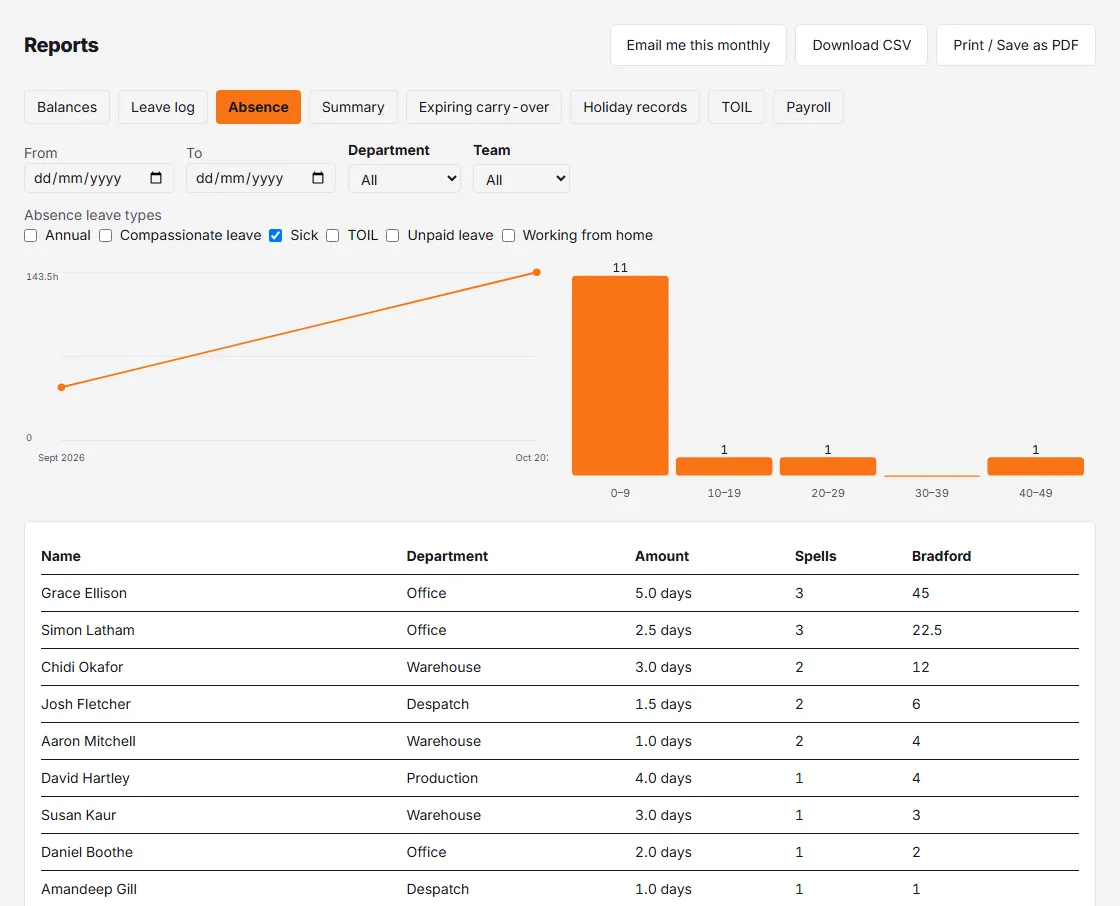
Sickness analysis with a Bradford factor score per person — frequent short absences score far higher than one long one. Each person’s score is their number of absences (each booking counts as one) squared, multiplied by their total days off, and the list is sorted highest first. It counts pending and approved bookings. By default it uses your sickness-flagged leave types; the Absence leave types switches let you widen or narrow that (if none of your leave types is flagged as sickness and none is ticked, the tab can’t load). Two charts sit above the table: Absence hours by month, so you can see whether things are getting better or worse, and the Bradford score distribution.
Summary
Department-by-department totals — headcount, people off and total hours — with a bar chart of total leave hours by group. The quick health check before a busy period.
Expiring carry-over
Who is holding carried-over leave with an expiry date, how much remains right now, and when it lapses (the next 90 days). Catch it while there’s still time to book.
Holiday records
The six-year record of entitlement, leave taken, carry-over and hours-based accrual, person by person. Leave the dates blank for each person’s last six leave years. It records leave taken and accrued; holiday pay stays in your payroll system.
TOIL
Shown only when TOIL is switched on for your organisation. A snapshot as of today of each person’s TOIL credited, spent and available, what lapses within 90 days, and their limit, all in hours. It ignores the date filters. See TOIL.
Getting reports out
- Download CSV — the current tab, current filters.
- Print / Save as PDF — a print-friendly rendering for meetings.
- Email me this monthly — once scheduled reports are switched on, the Balances, Leave log, Absence, Summary and Expiring carry-over tabs can be scheduled as a monthly email.
- Admins with Payroll export switched on also get a Payroll tab.