Bank holidays and closures
Manage bank holidays in Rotaleave by region, close the business on them, and choose whether they deduct from allowances.
Updated 13 October 2026
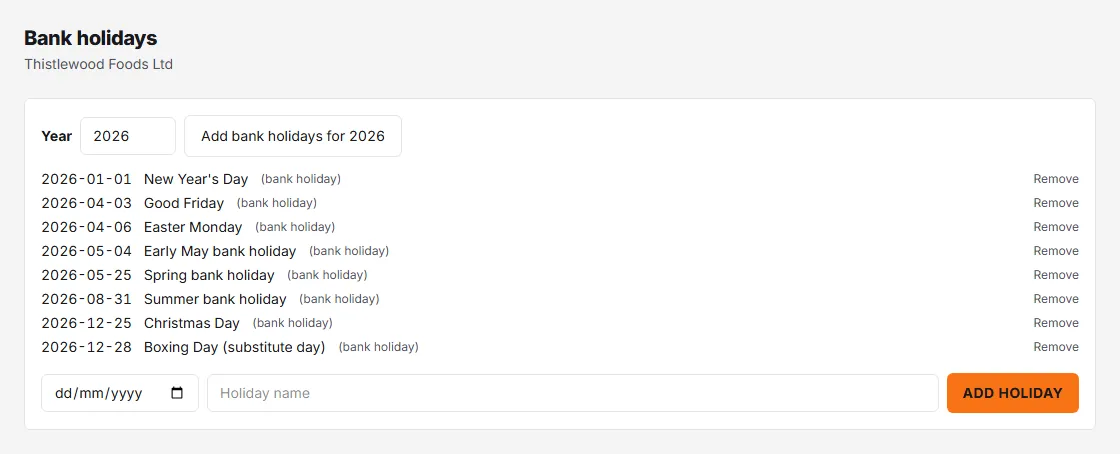
Admins manage the dates on the Bank holidays page (Settings → Leave → Manage → Bank holidays), and the policy around them in the Holidays card on Settings → Leave.
The dates
- Your bank holiday region — England & Wales, Scotland or Northern Ireland — is chosen in the setup wizard and drives which bundled set applies. Changing region swaps the bundled dates but keeps anything you added by hand.
- Click “Add bank holidays for [year]” to import the bundled set for a year (do this each year — grab next year’s before people start booking Christmas).
- Add one-off closures manually with a date and a name — company shutdowns, local holidays, a deep-clean day. Bundled entries are tagged (bank holiday); anything can be removed.
Bank holidays and closures show on the wall chart against the day as a badge: Closed when the business closes on them (see below), Hol when it doesn’t.
The policy
Two settings control what those dates mean:
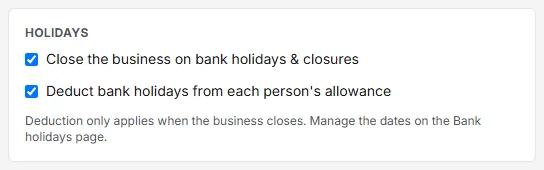
- Close the business on bank holidays & closures — when on, those days are non-working days: nobody needs to book them, and leave spanning them doesn’t deduct for them.
- Deduct bank holidays from each person’s allowance — only available when the business closes. This is the “allowances INCLUDE bank holidays” convention: a 28-day allowance covers the 8 bank holidays, so people have 20 to book freely. When it is off and the business still closes, allowances are “PLUS bank holidays”: the closed days do not come off anyone’s allowance. If the business doesn’t close, bank holidays are ordinary working days.
When deduction is on, each person’s My leave card shows “includes X for bank holidays / closures” so nobody wonders where the days went.
Only working days deduct
A bank holiday or closure only deducts on a day the person is scheduled to work, and not before their start date. A part-timer whose pattern skips Mondays isn’t charged for Monday bank holidays. That’s another reason to keep working-hours templates accurate.