Settings → Rota & attendance
Choosing the day your organisation's week starts, and where the rota and clock-in setup pages live.
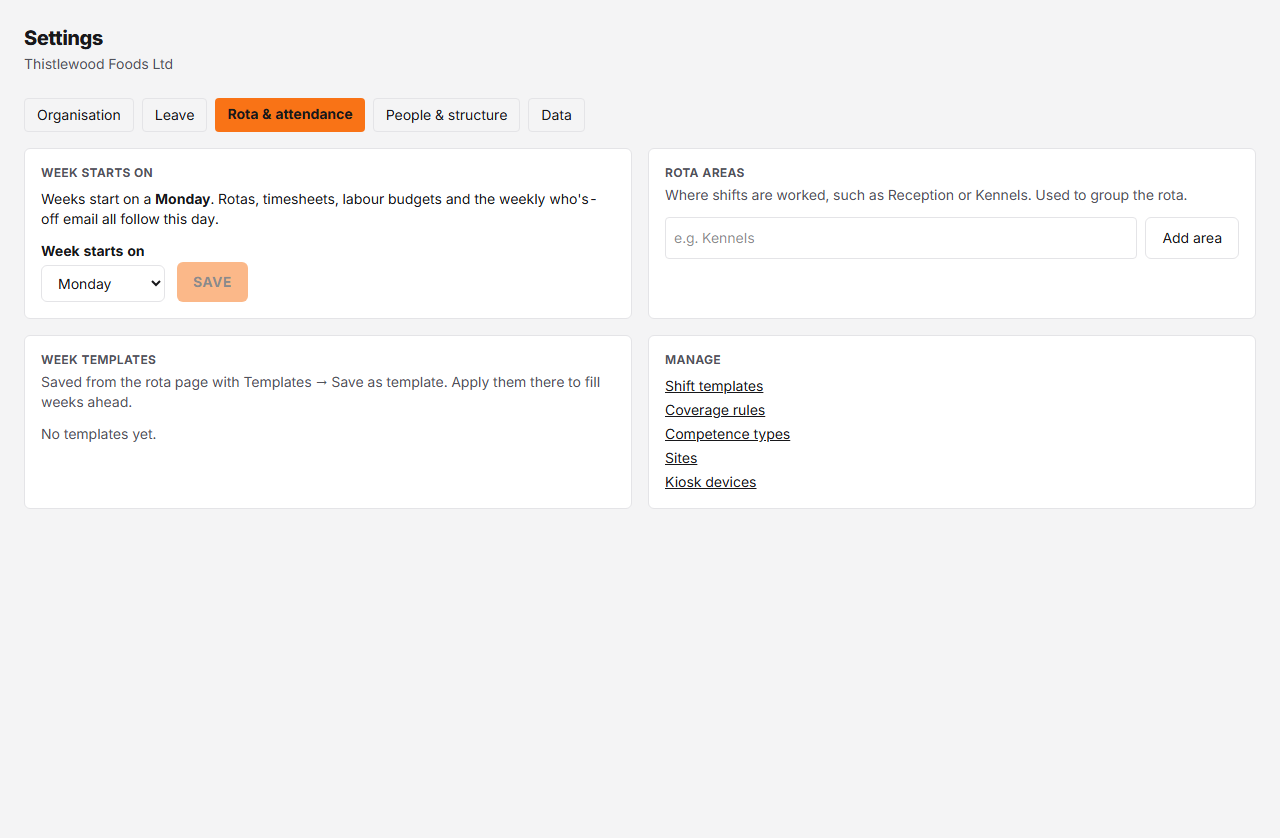
Controls
| # | Control | What it does | What it changes | Who |
|---|---|---|---|---|
| 1 | Week starts on # | The day every organisation week starts on — the rota, timesheets, labour budgets and the weekly who's-off email all follow it. Monday unless changed. | Before any rota is published or any timesheet or labour budget is recorded, a new day applies to every week at once. After that you pick a future date on the new day; earlier weeks keep their boundaries and the week before the change becomes a short changeover week, previewed before you save. A scheduled change can be removed until the week it shortens, or any later week, is in use. | admin |
Changing the week start day
Pick the day under Week starts on and press Save.
If your organisation hasn’t published a rota, recorded a timesheet or set a labour budget yet, that’s it — every week, past and future, now starts on the new day.
Once weeks are in use, Rotaleave asks From which date the change applies. The date must be in the future, fall on the day you picked, and come after the last week that already has a rota, timesheet or budget. The week just before it is cut short so the new pattern starts cleanly; the card tells you which days that short week covers (for example Mon 5 Oct – Wed 7 Oct will be a 3-day changeover week) before you save.
Why a change can be refused
- Pay periods follow your weeks. If you pay weekly, fortnightly or four-weekly without a fixed pay-period start date and holiday has already accrued, the week can’t be changed here — contact support to set a fixed pay-period start first.
- Weeks from that date are already in use. A scheduled change can only be removed while nothing has been published or recorded in the week it shortens or after it.
What else is on this page
- Rota areas and Week templates appear when your organisation uses the new person-first rota. Areas are where shifts are worked, such as Reception or Kennels: add, rename, recolour, reorder or archive them (archived areas keep their past shifts). Week templates are saved from the rota page; here you can rename or delete them, and deleting one doesn’t change weeks already filled from it.
- Manage lists links to Shift templates (shown when the rota is on), Coverage rules, Competence types, and, when clock-in is on, Sites and Kiosk devices.